Move a contract to Post-Execution
Updated 23 October 2026
Import an approved contract review as a live project, so the reviewed contract becomes the head contract and DAIV sets up its agents.
Select Active Projects in the sidebar.
Open the import list
An approved review stays in Pre-Execution until you import it, so you can sign off a contract well before work starts.
On Manage Projects, select Import Project (1).

Import an approved review
- Select the approved review (1) in the list.
- Select Import project (2).
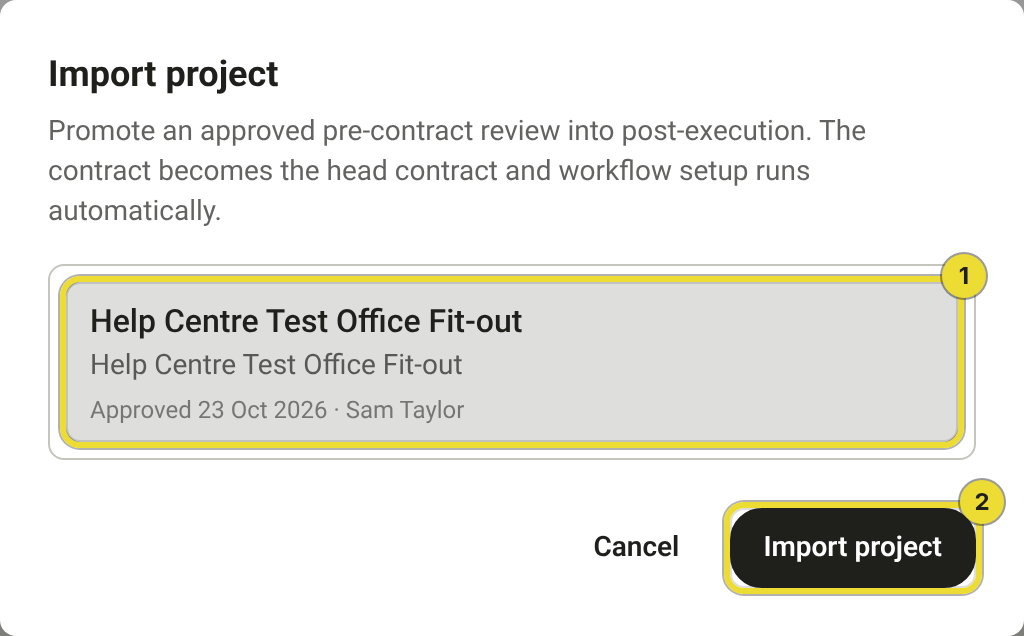
The project opens in Post-Execution with the reviewed contract as its head contract. It leaves the Approved list on Contracts Under Review.
Finish setting up the project
DAIV scans the head contract and sets up its agents. You can leave the page while it runs.
- Select Open head contract (1) to follow the scan.
- When it finishes, check the head contract and approve the agents. See Working with agents.
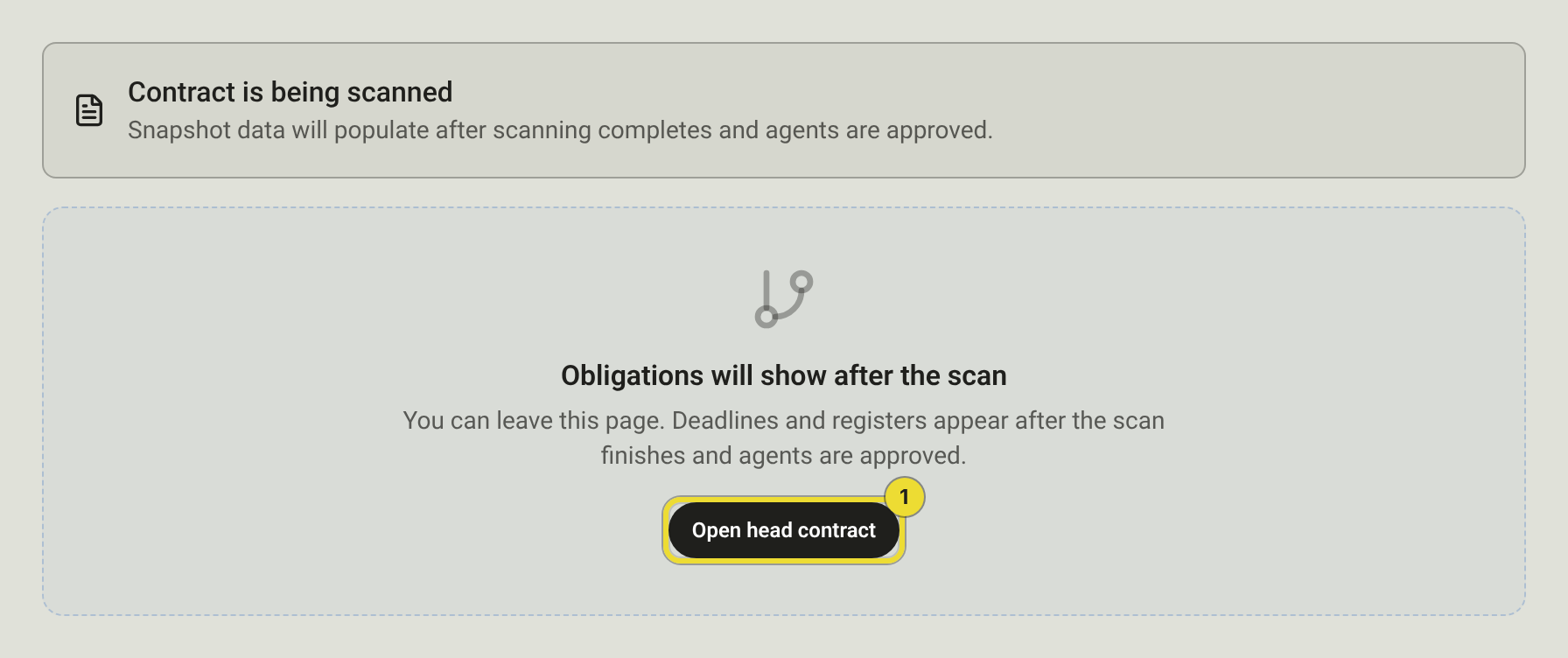
From here the project works like any other. See Create and set up a project.
Questions
My review isn't in the list
Only approved reviews you can edit and haven't imported yet appear. If you're a User, ask an Owner or Admin to add you to the review's project. If the list is still empty, check the review shows Approved on Contracts Under Review. See Submit and approve a contract review.
I can't select Import Project
If the button is greyed out, your organisation needs both Pre-Execution and Post-Execution turned on. Ask an Owner or Admin. If you don't see it at all, you're a Viewer or Viewer Admin.