Deleted items and activity log
Updated 24 October 2026
Recover soft-deleted items before retention ends, and see who changed what in your organisation.
Recover items deleted in the retention window, and review a plain-language history of changes in your organisation.
Deleted items
Open Manage Organisation → Deleted Items.
Soft-deleted items stay here until the retention period ends (shown as days remaining), then they are permanently removed.
- Find the item in the list.
- Use the restore control on the row to recover it, or the trash control to permanently remove it.
- Select Edit retention (1) if your organisation needs a different retention period (Owners and Admins).
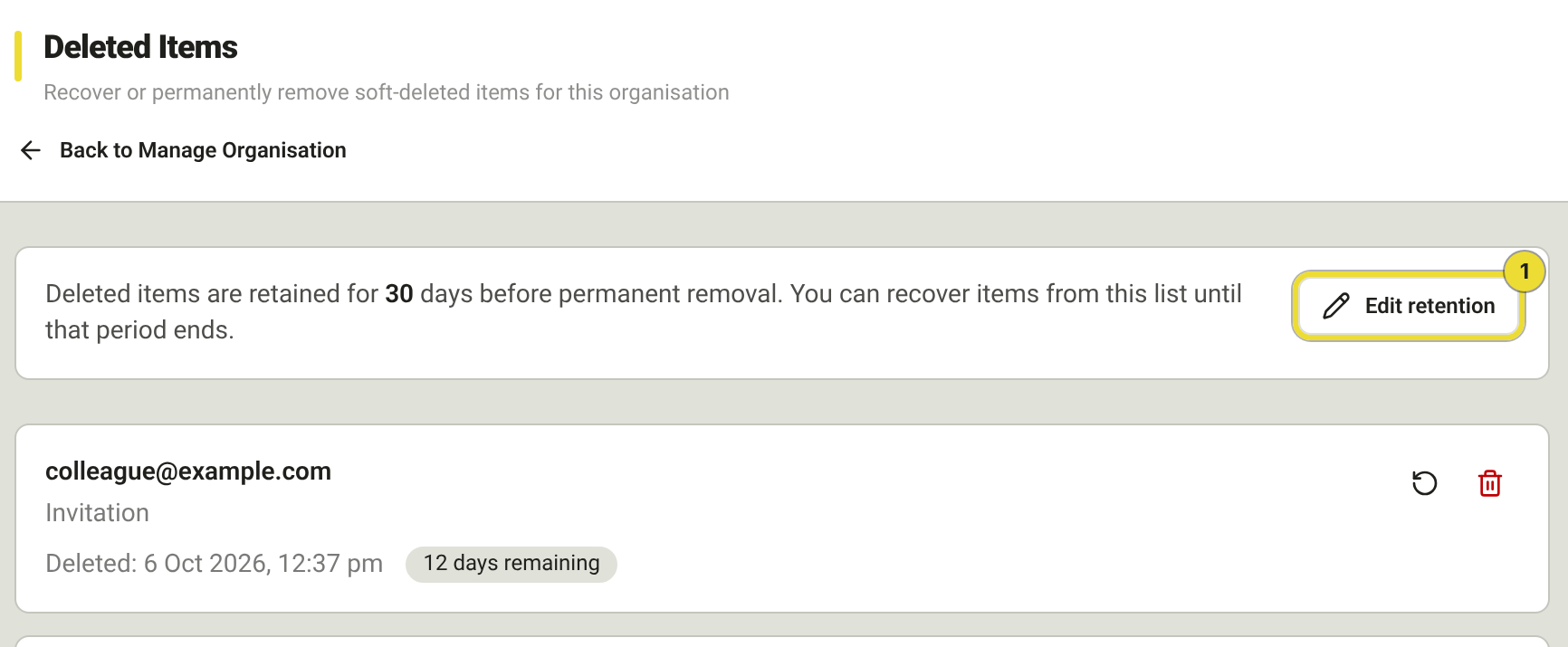
Recovering restores the item to where it lived before. Permanent removal cannot be undone.
Activity log
Open Manage Organisation → Activity Log.
Each row is one action (newest first): what happened, who did it, and when. Expand a row for request details and field-level before / after values. Creating something that touches several records still appears as one action.
- Filter by person, activity type, resource and date as needed.
- Open a row for field detail.
- Use Load more (1) to page further back.
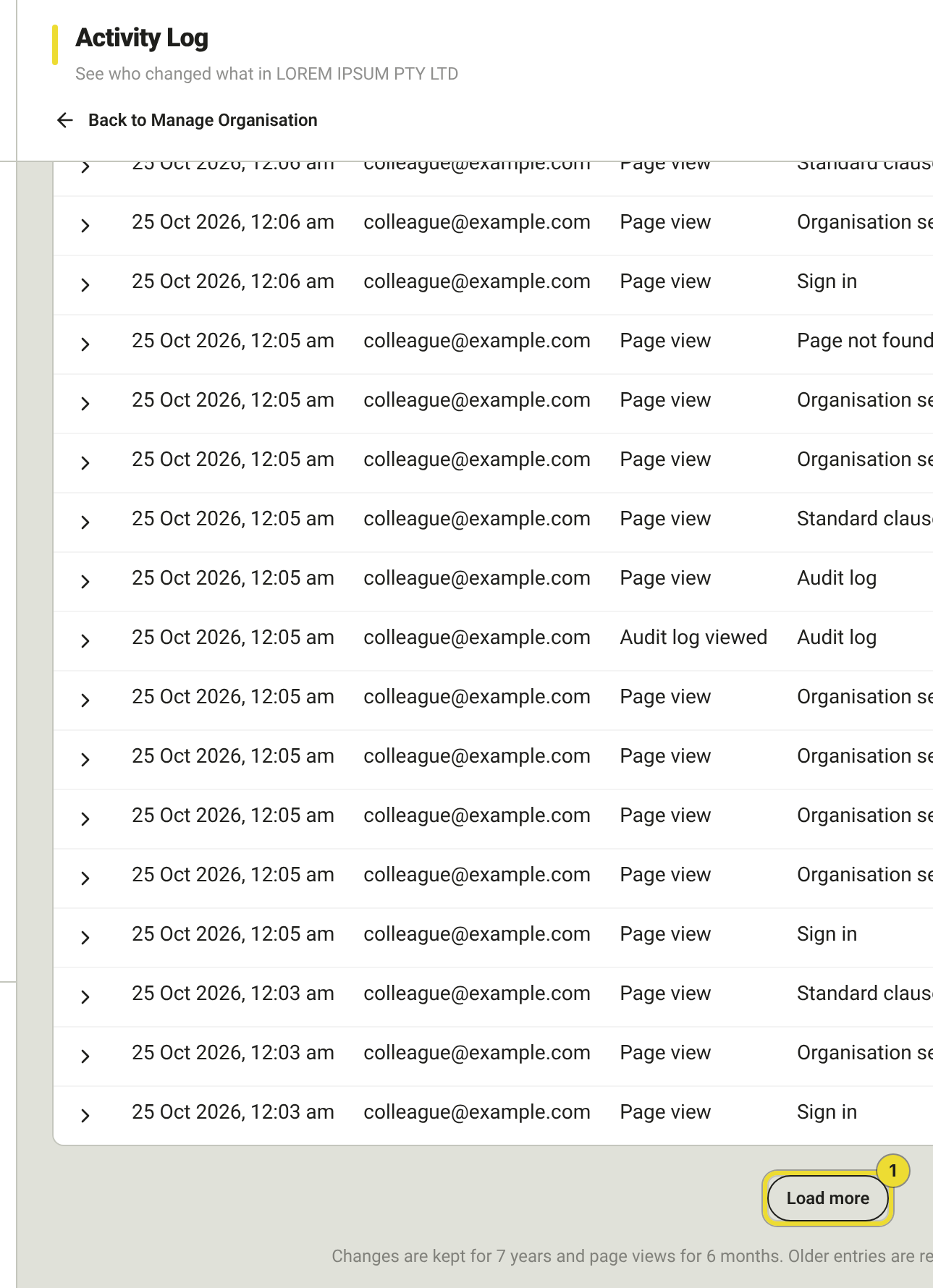
The foot of the page states how long changes and page views are kept. Older entries are removed automatically. Removing a log row does not undo the change it describes.
Questions
I deleted the wrong invitation — can I get it back?
Yes, from Deleted Items while days remaining are shown. After retention ends it is gone.