Pre-Execution settings
Updated 24 October 2026
Configure the pre-contract review workflow and approval levels for every contract under review.
Set how Contracts Under Review run for the whole organisation: review steps and who approves by stage.
Open Manage Organisation → Pre-Execution Settings.
Pre-contract review process
The page shows the standard sequence:
- AI Review — automated risk analysis
- Contract Administrator Review — human review of flagged risks
- Optional Project Manager Review and Final Approval — toggles further down the page
Commercial scan rules live under Contract Benchmarks, not on this page. See Contract benchmarks.
Approval levels
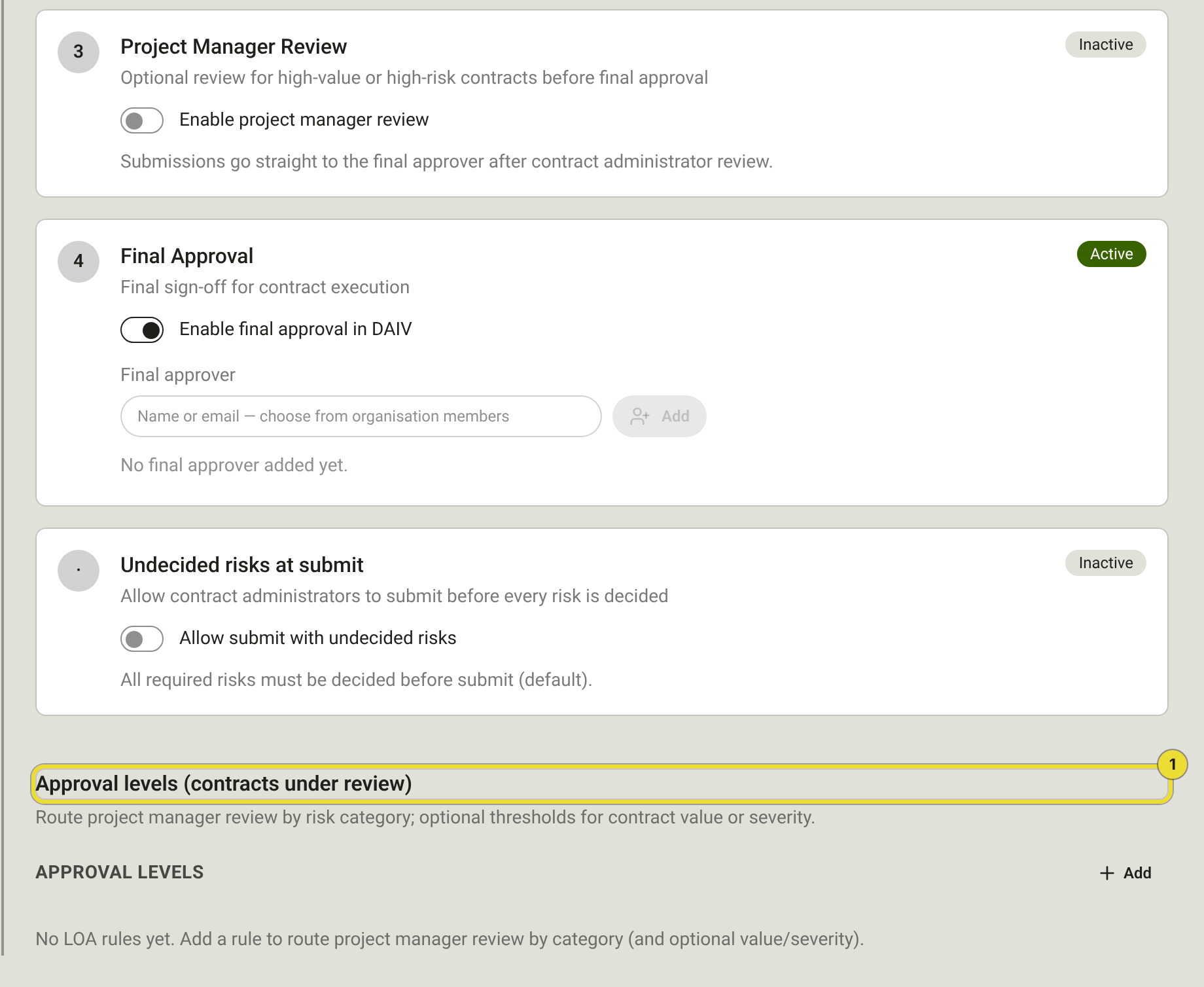
Configure optional stages and routing (1):
| Setting | What to do |
|---|---|
| Project Manager Review | Turn on Enable project manager review when a PM must approve before close-out. |
| Final Approval | Enable final approval in DAIV is on by default — assign a Final approver. Turn it off when contract administrators should close the review in DAIV. |
| Allow submit with undecided risks | Off by default. When on, submitters can continue with open risks; they enter one reason and those risks are recorded as Original Clause Accepted. Departure schedule decisions stay required. |
| Approval levels (contracts under review) | Optional LOA rules to route project manager review by risk category (and value/severity). |
Approvers see work under Contracts Under Review → Pending my approval and on Dashboard → My Work.
When to revisit
- Before the first contract upload — set approvers
- When delegation changes
- After uploading new SOPs under Compliance and credentials
Editing benchmarks does not re-scan existing reviews. Use New Revision on a review if you need a fresh scan.
Questions
Where do I edit what DAIV flags?
Manage Organisation → Contract Benchmarks.