Branding and templates
Updated 24 October 2026
Upload your organisation logo and customise notice templates for generated documents.
Set your organisation logo and, when the module is on, the notice layouts agents use when they generate documents.
Open Manage Organisation → Customisation.
Organisation logo
- Review the preview for the current logo (or No logo uploaded).
- Select Replace logo (1) — or Upload logo if none is set — and choose a PNG or JPEG (max 2 MB; about 240–480 px wide works well).
- Wait for the preview to update.
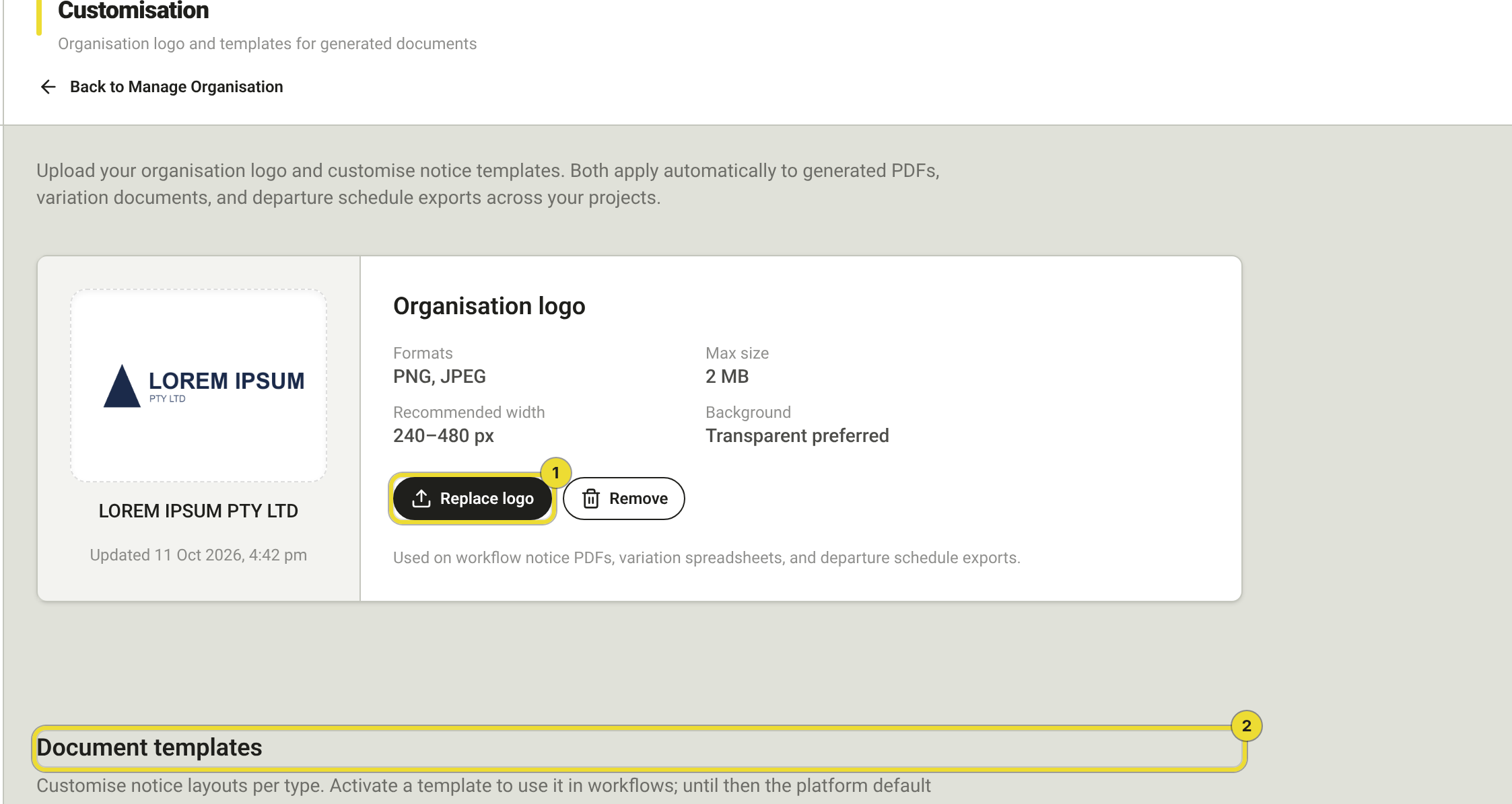
Select Remove to stop using a logo on future documents. PDFs and emails already sent do not change.
The logo appears on generated notices, workflow emails and account emails such as invitations.
Document templates
When the Document templates module is enabled, Document templates (2) lists each notice type under the logo.
Until you Activate a template, DAIV uses the platform default for that notice type.
| Action | What it does |
|---|---|
| Create | Start a draft in the template designer |
| Import docx | Upload a Word file as the starting layout |
| Edit | Open the designer — Save, Preview, Validate, merge tags, History |
| Activate | Make this the organisation default (Publish changes if already active) |
| Archive | Retire it so you can create a new one |
Site diary and Notice of Delay tags
In the designer, the Site diary narrative sections preset shows sample headings so you can check spacing. Notice of Delay templates can use Delay start date and Delay finish date tags filled from an EOT run.
Project template overrides
On an active project: Settings → Document templates → Manage templates. An active project template overrides the organisation and platform default for that job only.
DAIV picks the first match: active project template → active organisation template → platform default.
Questions
Logo uploaded but notices still look blank?
Check the template is Activated, and that the notice type you generated uses letterhead. Re-generate after uploading the logo.
Where did the old Customisation article go?
This article replaces Organisation customisation and Document templates. Same page in the app.