Agents and reviewers
Updated 24 October 2026
Set organisation defaults for post-execution agents — reviewers, limits of authority, diary suggestion routing and subcontract execution approval.
Set organisation defaults for post-execution agents: who reviews each step, monetary limits of authority, diary suggestion routing and optional subcontract execution approval.
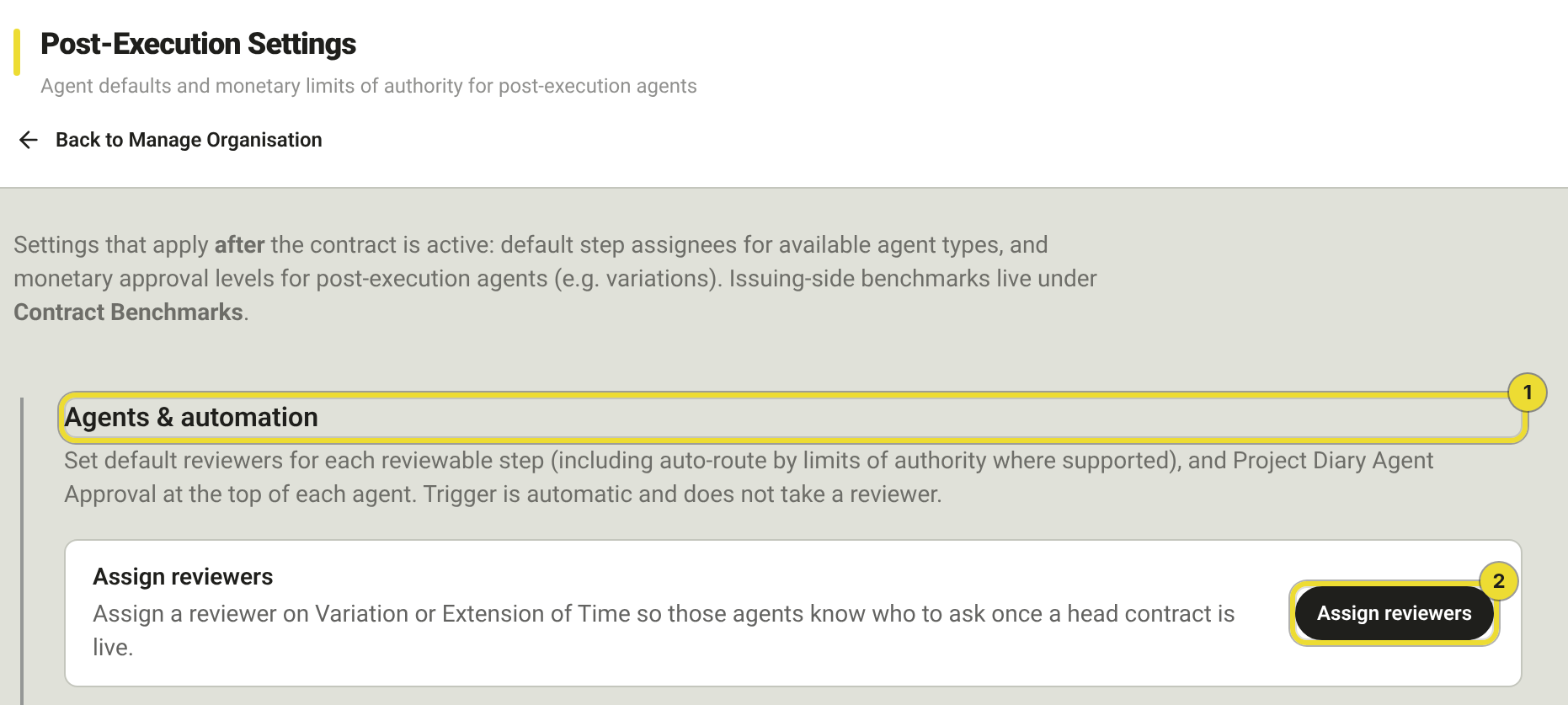
In the app this page is Post-Execution Settings. Open Manage Organisation → Post-Execution Settings.
Agents and automation
Under Agents & automation (1), expand each agent type (for example Variation or Extension of Time). Enabling a type here does not start a run — teams still approve agents on the project head contract, then start runs from Active Agents.
Assign reviewers
Use Assign reviewers (2) or expand an agent and set Reviewers on each reviewable step (every step except the automatic trigger).
| Choice | When to use |
|---|---|
| People | Named reviewers. With two or more, choose All required or One approval required. |
| Functions | Route to a project function (Director, Contract Administrator, Project Manager, Site Manager, Estimator). |
| LoA | Auto-route by Limits of authority when the amount is known. |
| None | No default for that step. |
Choosing a different tab replaces the current selection. Configure monetary thresholds under Approval levels / limits of authority on the same page.
When you change reviewers, DAIV may ask whether to Update in flight agent approvers. Updating can take a waiting step away from someone mid-review — tell both people first.
Deactivated members do not appear in the picker and are skipped when steps resolve. Reactivate them under Team and access first.
Owners and Admins not listed as reviewers can still use Approve & override with a reason.
Project Diary Agent Approval
On each agent type, Project Diary Agent Approval sets who is notified when a diary suggests that agent. Choose a person or project function. Project teams can override it on the project agent card. See Diary, inbox and WhatsApp.
Subcontract execution approval
| Setting | Effect |
|---|---|
| Require approval | Blocks Mark as executed until selected reviewers approve |
| Default reviewers | Pre-filled on Submit for approval — submitters can adjust per package |
Add at least one default reviewer when require-approval is on. See Subcontracts.
Org defaults vs the project
| Layer | Controls |
|---|---|
| This page (org) | Available agent types, default reviewers, LoA, subcontract execution approval |
| Head contract (project) | Approve or ignore each agent; optional per-step reviewers |
| Active Agents (project) | Adjust reviewers for new runs |
| Agent run | Live workflow |
Questions
Do changes apply to runs already waiting?
Only if you choose to update in-flight approvers when prompted. Otherwise new runs only.