Claim an extension of time
Updated 24 October 2026
Start an EOT claim, issue a Notice of Delay when needed, price delay costs, and track the claim on the EOT register.
The Extension of time Agent guides a delay claim from first description through Notice of Delay (NOD), optional delay-cost pricing, submission and assessment. Only this workflow and Variations are generally available.
Start an EOT
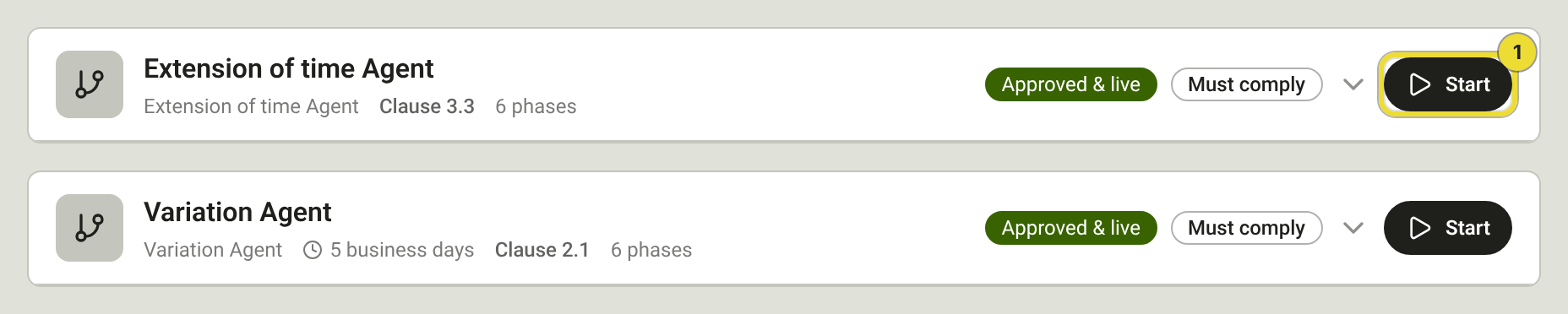
Open the project → Head contract → Agents → Active Agents.
- Find Extension of time Agent and select Start (1).
- On the Trigger form, describe the delay, its cause, the original completion date, days claimed and the programme impact, then submit.
Validate and notify
Confirm the delay qualifies, capture entitlement facts, and optionally issue an NOD.
- Select Prepare Notice of Delay (1) when the contract needs an NOD.
- Select Approve (2) to move on. If DAIV recommends an NOD and you didn't prepare one, choose Continue without notifying.
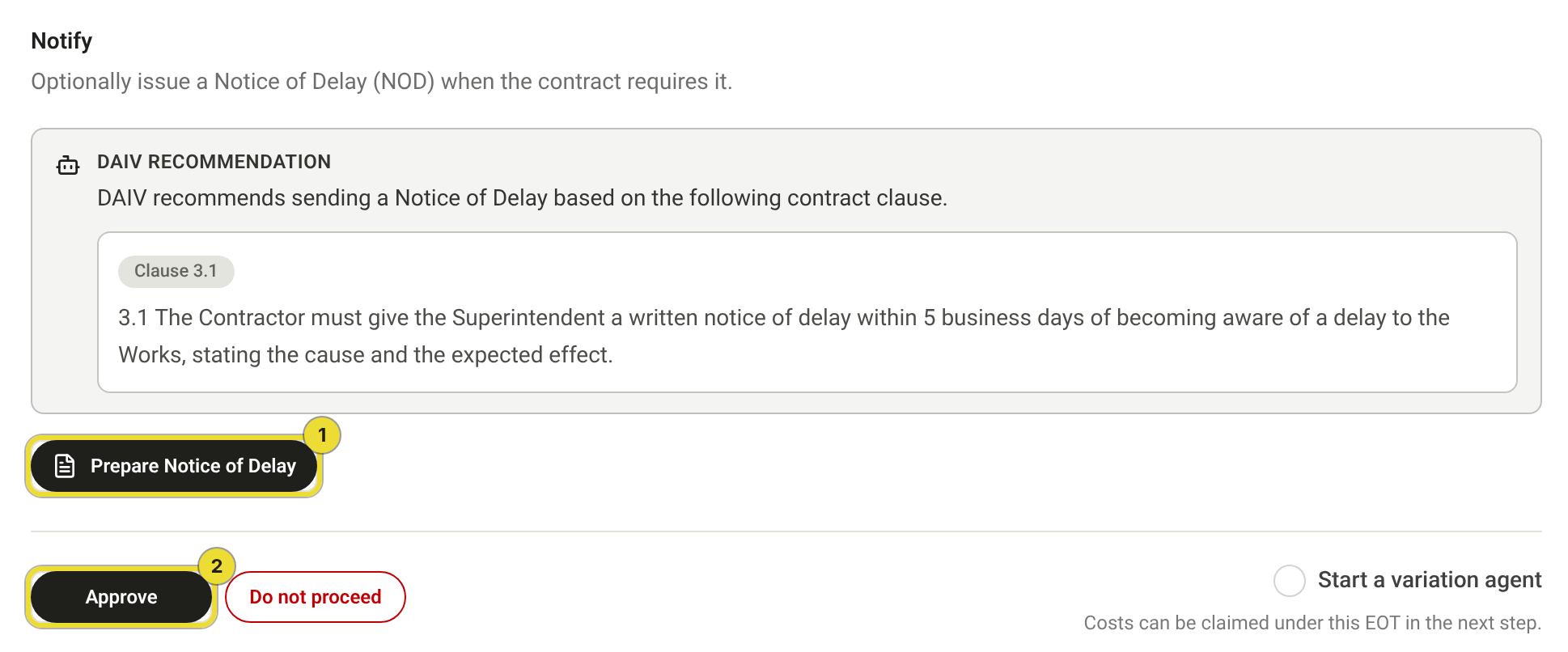
You can start a linked Variation Agent from this step when delay and scope change overlap.
Price delay costs
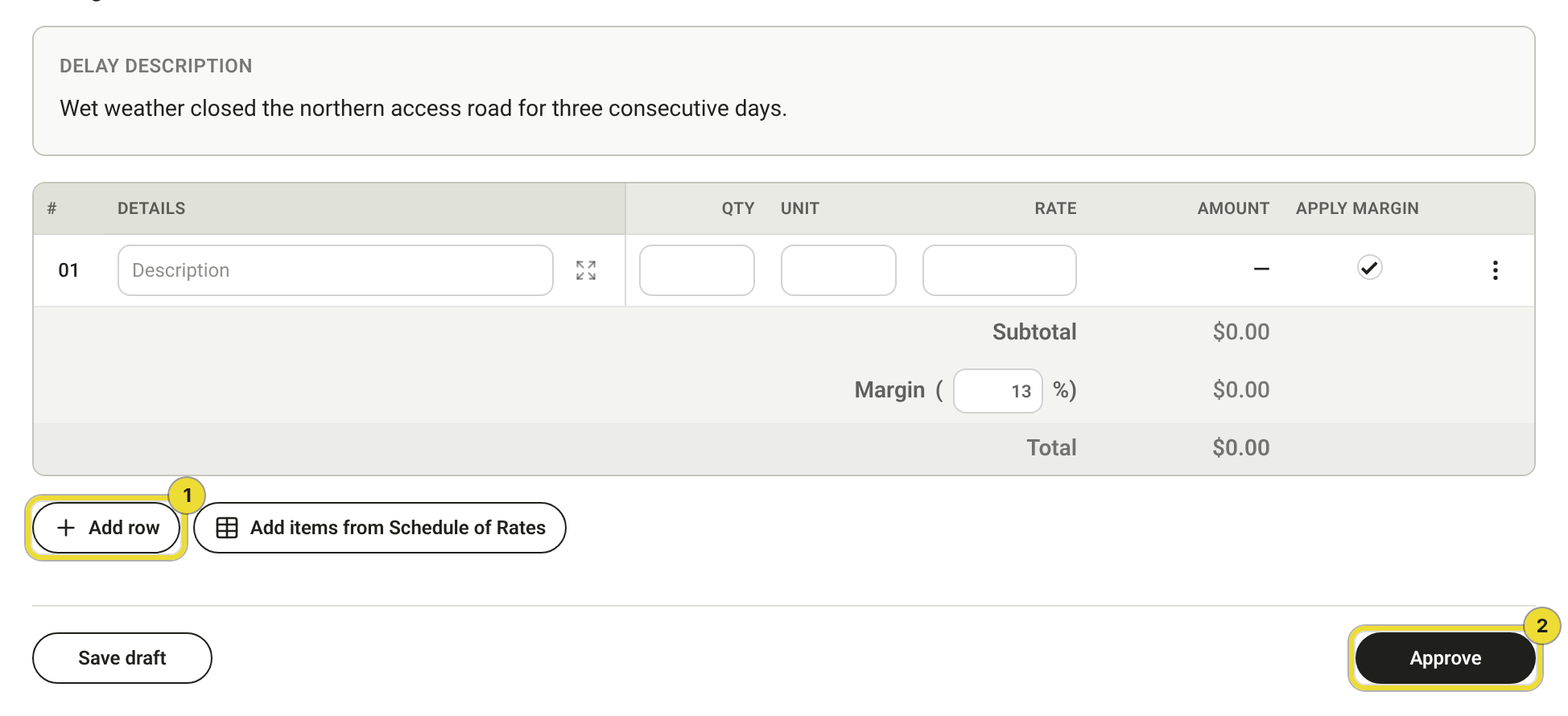
On Price, claim delay costs when the contract allows it.
- Select Add row (1) for a manual line, or Add items from Schedule of Rates for schedule lines.
- Select Approve (2) when the valuation is ready, or Save draft to keep working.
See Schedule of rates.
Track the register
Open Head contract → EOT Register.
- Select Add entry (1) for a historical claim that didn't start as an agent run.
- Select a workflow id (2) to reopen the run. Days claimed and days granted show on each row.

Questions
Costs can be claimed under this EOT
That note on Validate and Notify means the next Price step can hold delay-cost lines. Skip pricing if you're only claiming time.
Who reviews each step?
Reviewers come from project Functions on the Agents tab. See Run and review agents on a project.