Manage documents and insurance
Updated 24 October 2026
Upload and classify project documents, preview files in DAIV, and keep project-level insurance policies that agents and compliance checks can use.
Open a project → Documents to manage files for the job and project-level insurance policies. The head contract PDF stays on Head contract, not here.
Upload and classify documents
The Documents tab lists every file uploaded to the project.
- Select Add file (1) and choose one or more PDFs or other supported files.
- Set a Type so agents and search can find the file (for example General, Variation, Site diary, Subcontract, Schedule of Rates).
- Open Insurance (2) when you need project policies rather than general files — see Project insurance.
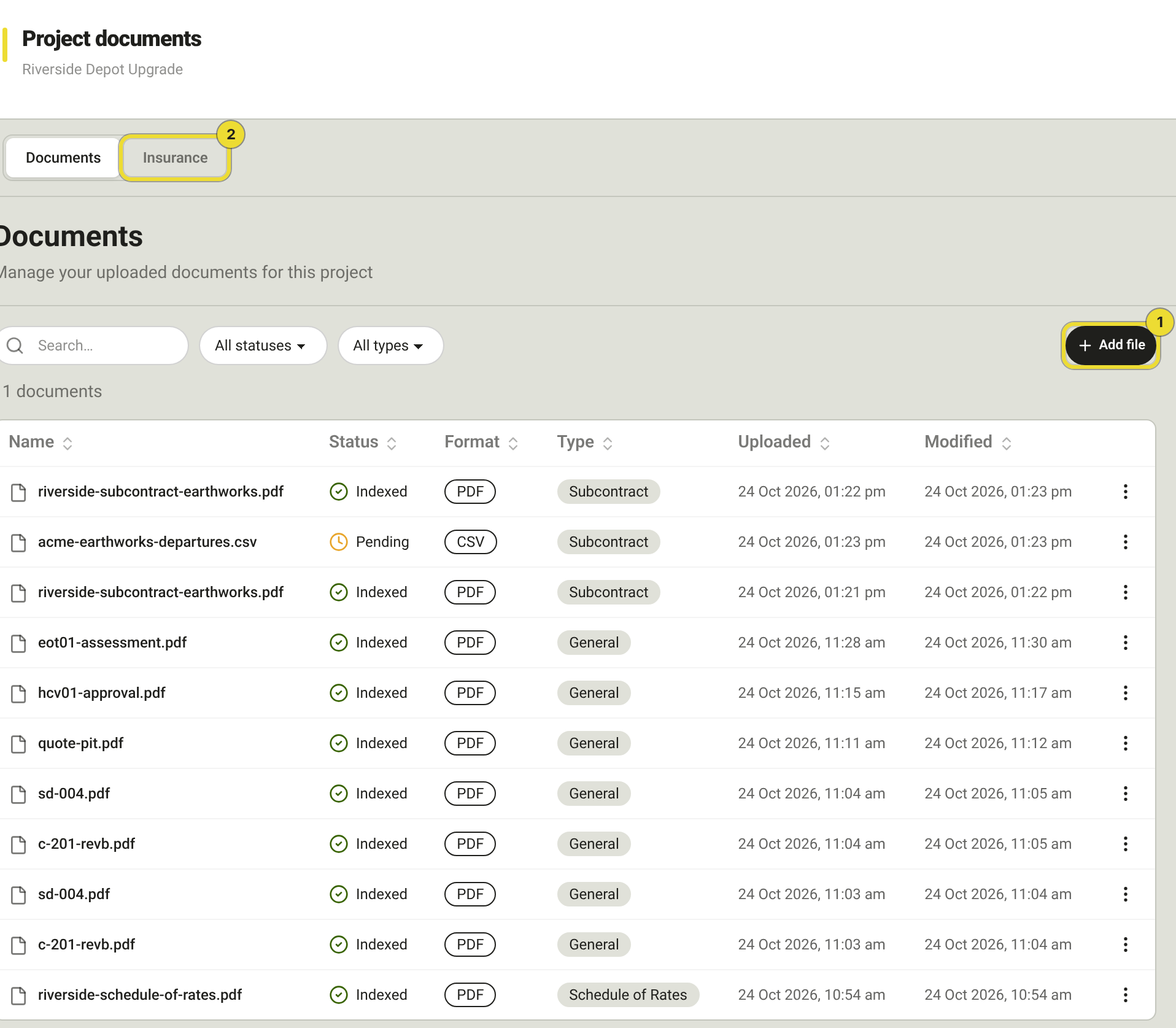
Filter by All statuses (Pending, Processing, Indexed, Error) and All types. Open View on a row to preview a PDF in DAIV. Use the row menu for further actions such as reclassify or remove.
Classify drawings, correspondence and quotes as you upload them. Agents pull evidence from typed documents during Validate and Notify and similar steps.
Statuses:
| Status | Meaning |
|---|---|
| Pending | Queued for processing |
| Processing | DAIV is reading and indexing the file |
| Indexed | Ready for search, chat and agent evidence |
| Error | Processing failed — retry or re-upload |
Project insurance
Open Documents → Insurance for policies that apply only to this project (for example Home Warranty or per-project Contract Works). Organisation-wide policies stay under your organisation settings.
- Select Add policy (1), enter a Policy name, and upload the policy PDF.
- When the scan finishes, open Review (2) to confirm the extracted details before agents rely on the cover.
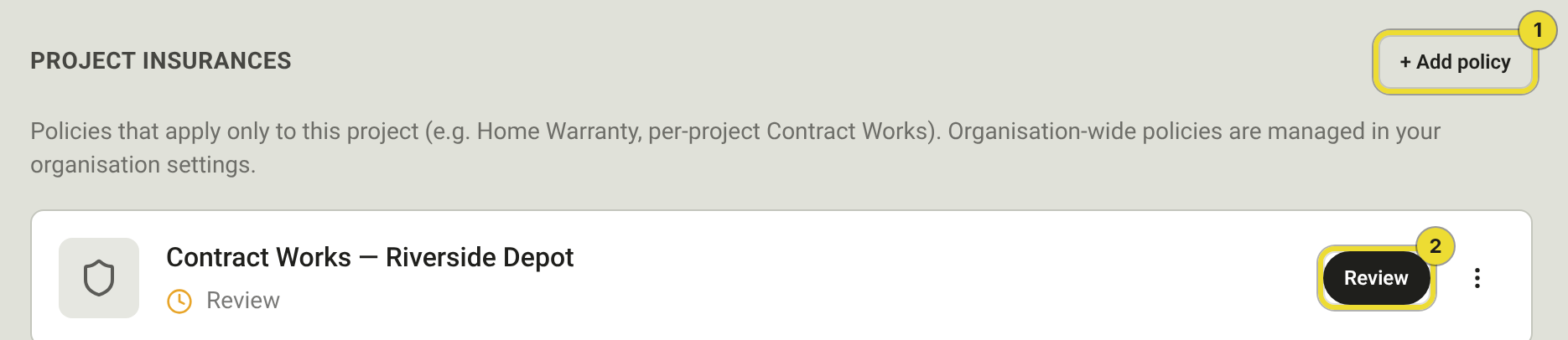
Agents and compliance checks read project and organisation policies when they assess insurance obligations. Keep certificates of currency current so those checks stay meaningful.
Questions
Where is the head contract PDF?
On Head contract, not under Documents. Project documents are supporting files, drawings, correspondence and similar.
Can I use an organisation policy on this project?
Yes. Organisation policies apply across jobs. Add a project policy only when cover is specific to this contract (or when an agent asks for one).