Upload and use a schedule of rates
Updated 24 October 2026
Upload a schedule of rates PDF, verify the extracted stages and rates, and add those rates when pricing a variation or EOT.
The Schedule of Rates holds approved daily and stage rates for a project. Upload a PDF or edit rates in DAIV, then reuse them on a Variation or EOT Price step.
Open Head contract → Schedule of Rates. The tab is available once the head contract is active.
Upload and verify rates
- Select Upload new version (1) and choose the Schedule of Rates PDF.
- Wait for extraction, then check stages, categories and amounts. Edit labels or rates as needed.
- Select View source PDF (2) if you need to compare the extract with the file.
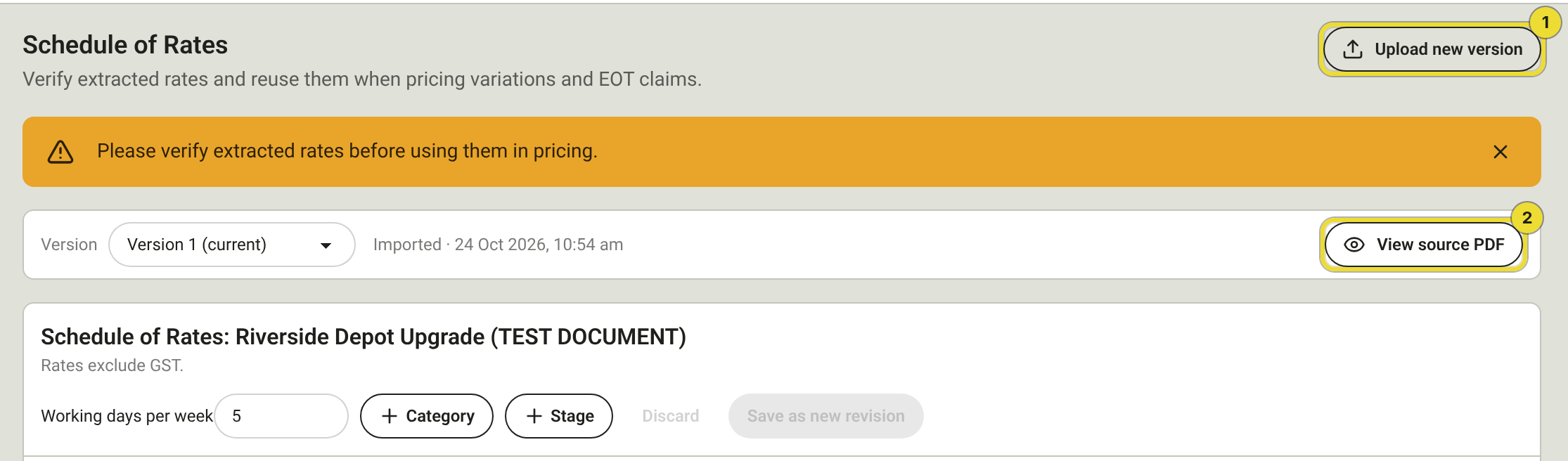
Verify extracted rates before you use them in pricing. Each save creates a new version; the current version is the one pricing uses.
You can also start from an empty schedule and add stages, categories and items by hand. Leave with unsaved changes and DAIV asks you to save or discard.
Add rates while pricing
On a Variation or EOT Price step:
- Select Add items from Schedule of Rates.
- Choose the Stage (1) and the number of days.
- Review the calculated lines, then select Add N items (2).
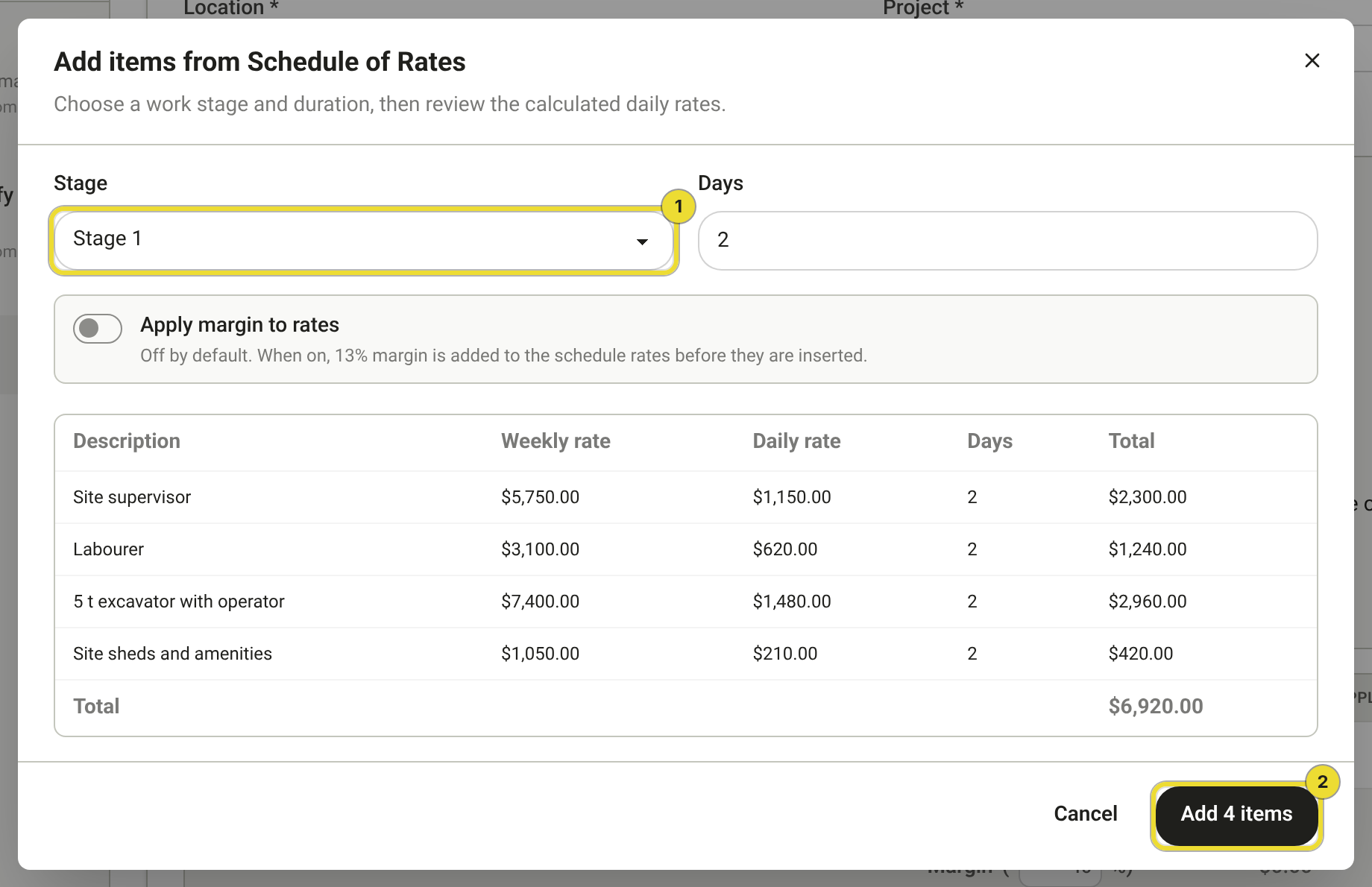
Turn on Apply margin to rates only when you want the project's margin added before the lines land in the table. Adjust quantities on the Price step after you add them.
See Run a variation and Claim an extension of time.
Questions
Extraction failed or looks wrong
Open View source PDF, correct the file or edit the schedule manually, then save a new version. Older versions stay in the version list for history.
I don't see Add items from Schedule of Rates
The head contract must be active and the schedule must have a current version with at least one stage. Upload or save the schedule first, then reopen the Price step.