Run a variation
Updated 24 October 2026
Start a head-contract variation, validate and notify, price with quotes, and track it on the variation register.
The Variation Agent walks a head-contract variation from first description through Notice of Variation (NOV), priced Head Contract Variation (HCV), submission and close-out. Each run appears on the Variation Register.
Start a variation
Open the project → Head contract → Agents → Active Agents.
- Find Variation Agent and select Start (1).
- On the Trigger form, describe the change, what triggered it, the works included and any time impact, then submit.
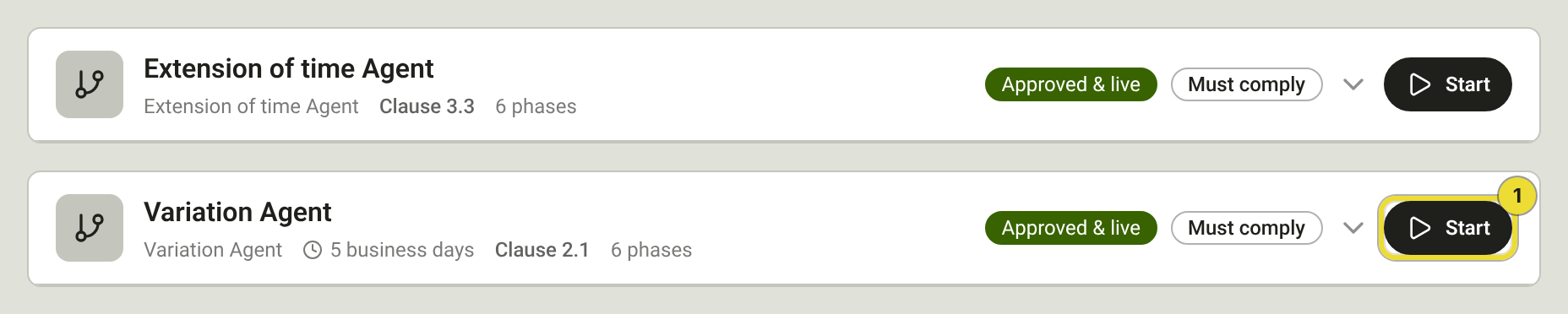
Runs can also open from chat, an uploaded document, diary or inbox activity, or a linked EOT. Those starts usually skip Trigger and land on Validate and Notify.
Validate and notify
Confirm the change is a variation, attach supporting evidence, and optionally issue an NOV.
- Add evidence and mark at least one source as original and one as revised.
- Select Prepare Notice of Variation (1) when the contract needs an NOV, or Approve (2) to continue without notifying.
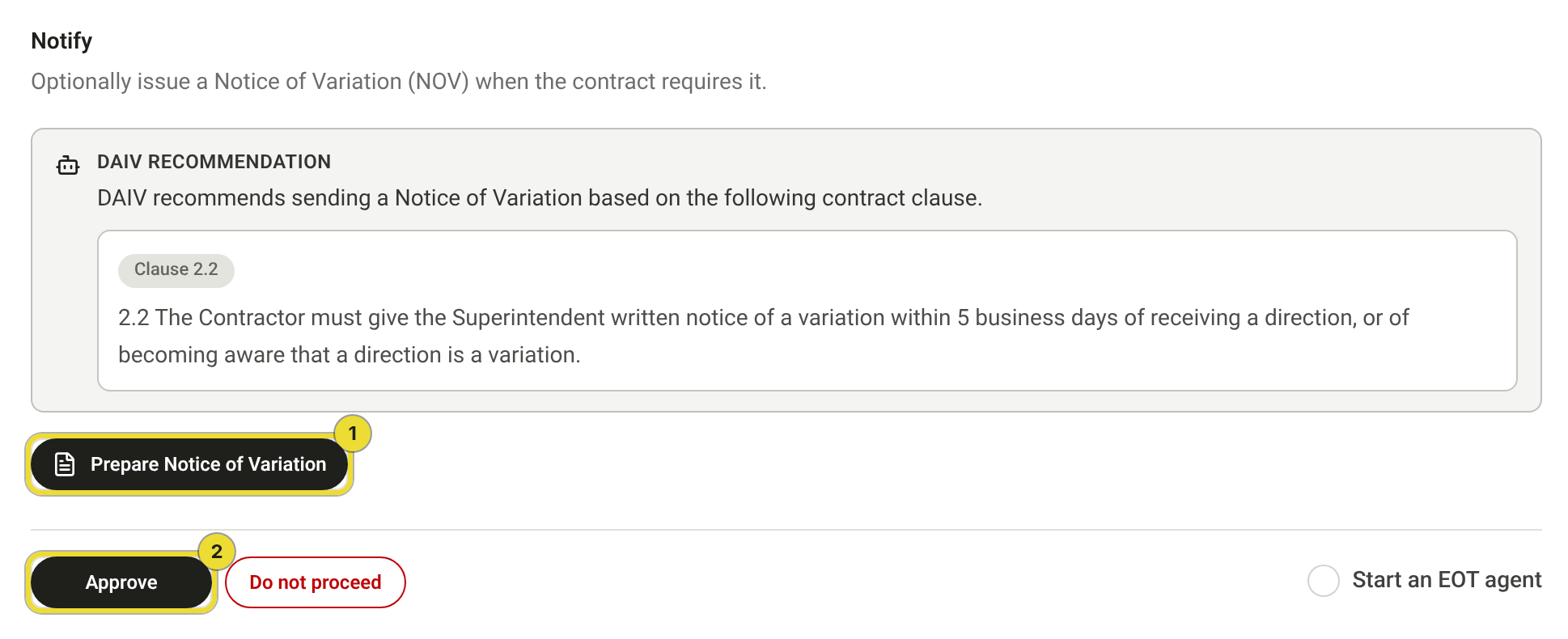
Do not proceed cancels the run. Use it only when the variation should stop.
Price and request a quote
On Price, build the itemised valuation. Add rows by hand or pull lines from the Schedule of rates.
- Open a row's actions and select Request quote.
- Enter the recipient in To (1). Add an optional message (2) if you need one, then send.
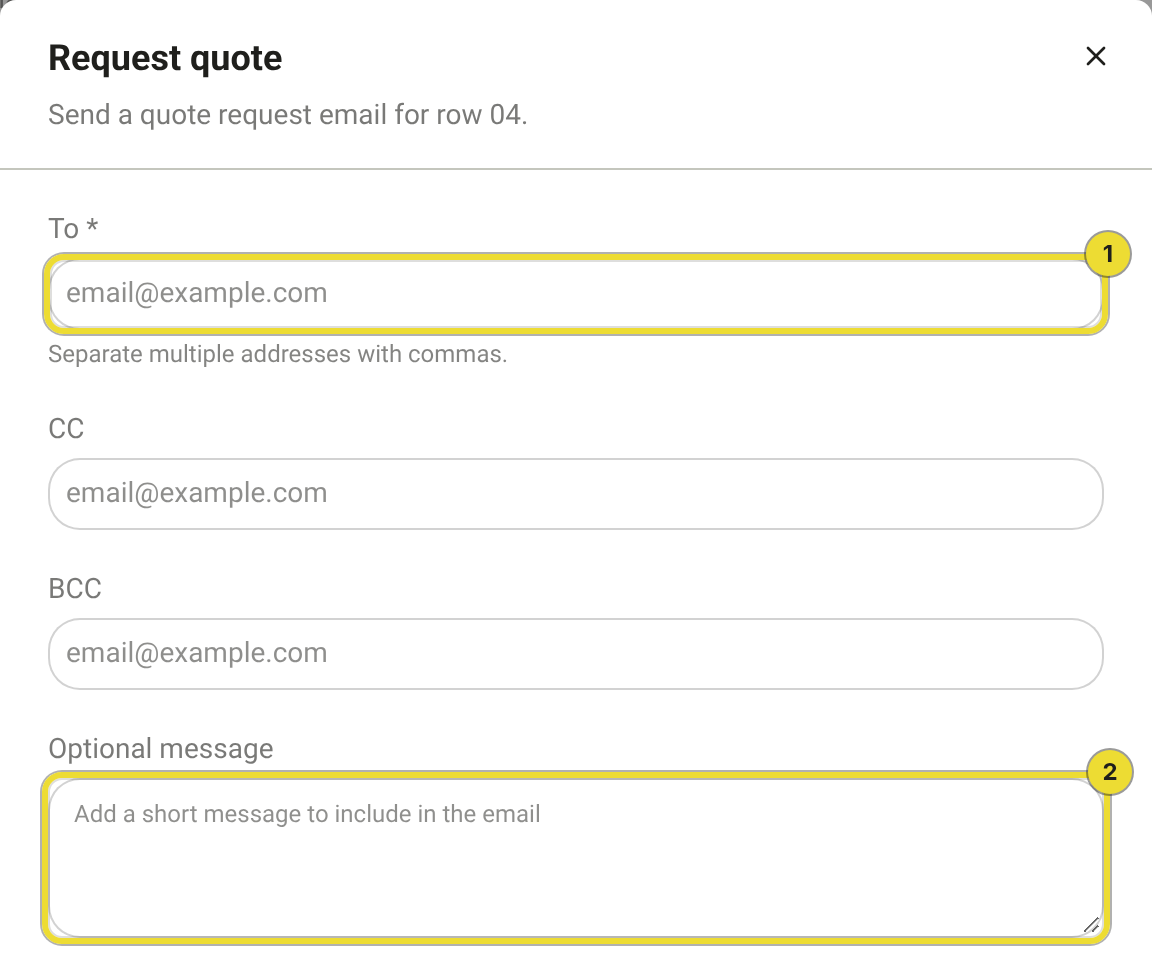
Check To, CC and BCC before you send. Only address people who should receive the request.
Email the principal
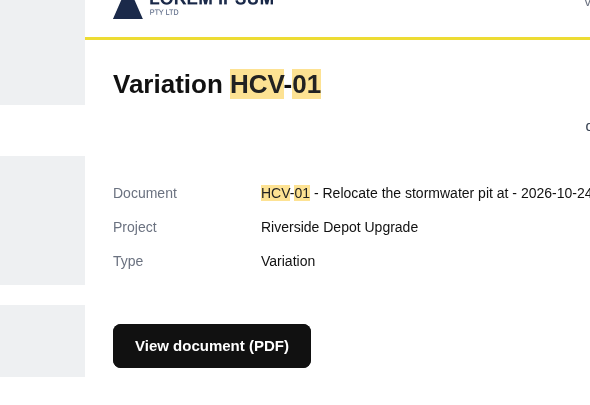
On Submit, email the HCV pack to the principal. The message lands in your project inbox when you send it from DAIV.
Track the register
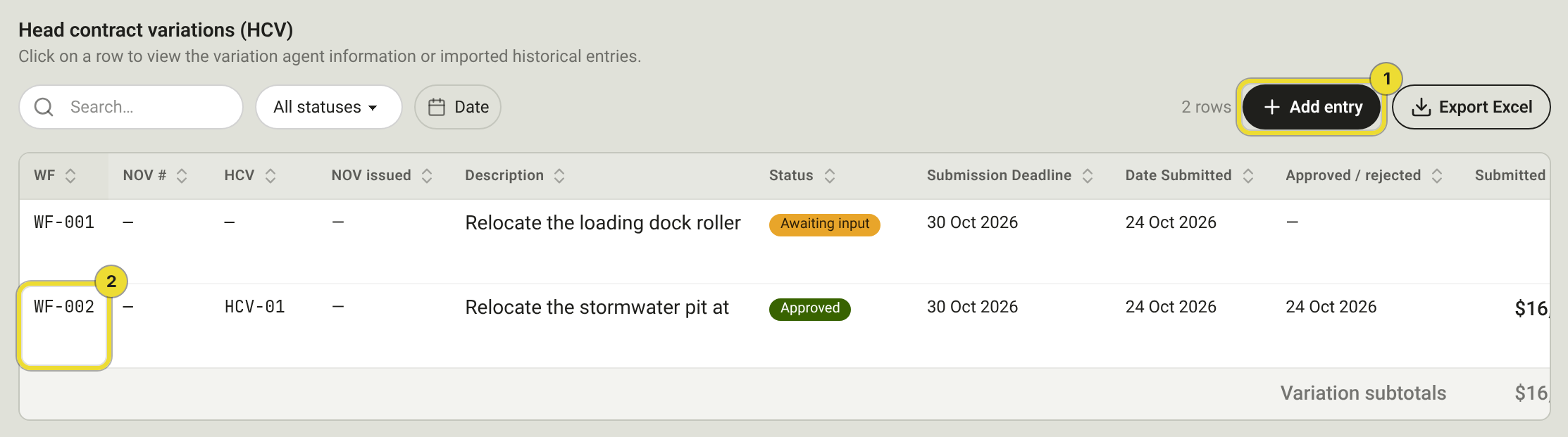
Open Head contract → Variation Register.
- Select Add entry (1) for a historical row that didn't start as an agent run.
- Select a workflow id (2) to reopen the run.
Questions
Approve is blocked on Validate and Notify
Add supporting evidence and mark original and revised sources. If DAIV recommends an NOV, either prepare it or choose Continue without notifying when you approve.
Who reviews each step?
Reviewers come from project Functions on the Agents tab (for example Contract Administrator). Org Post-Execution Settings set the defaults. See Run and review agents on a project.